Nano Banana prompt text
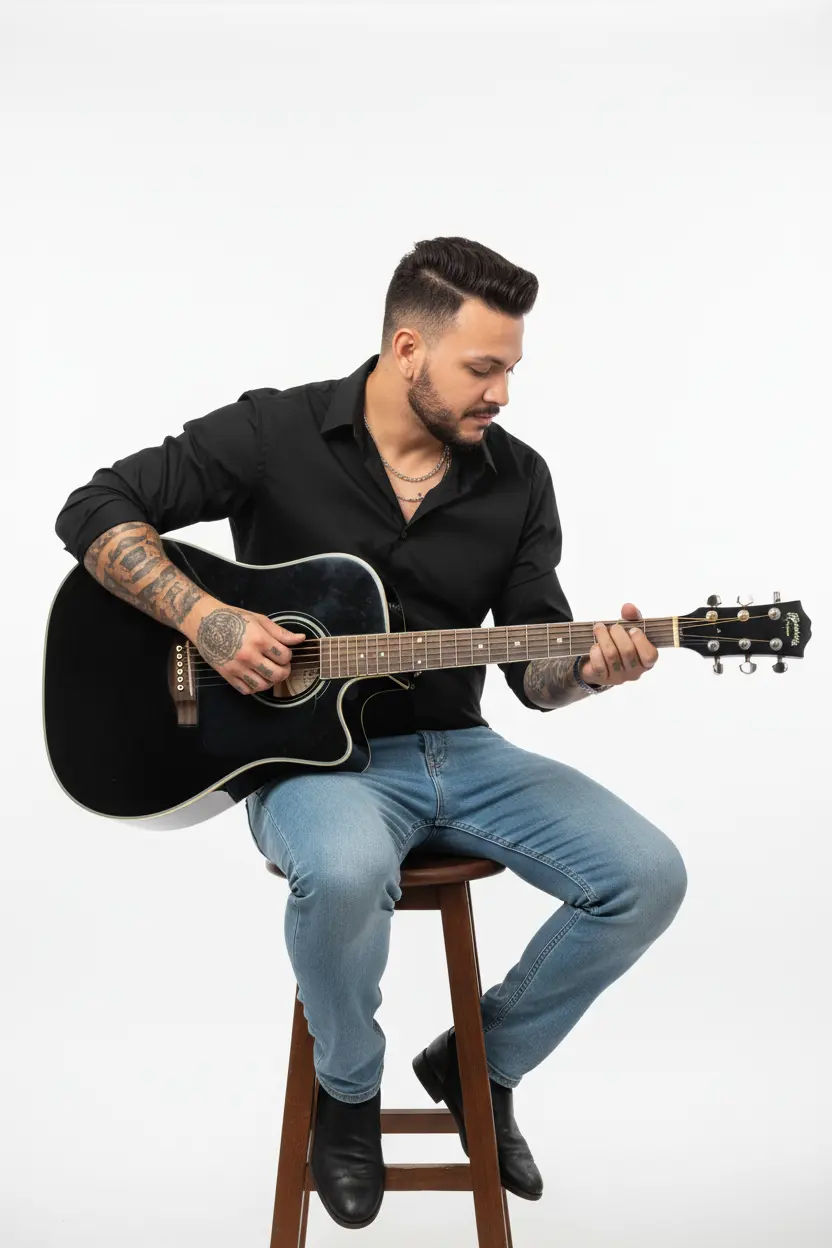
A full-length studio photograph capturing a male figure with a relaxed, musical presence. The subject sits on a tall wooden stool, turned slightly to the right, his gaze focused downward on his hands and guitar, immersed in the music. He wears a long-sleeved black dress shirt with the top buttons undone, creating a casual neckline. The sleeves are rolled up at the elbows, revealing detailed tattoos on his forearm. Light or mid-blue jeans that fit comfortably complete the look, adding a casual touch. Multiple thin necklaces and a discreet earring can adorn the look. He holds an acoustic guitar with a glossy black body and light accents on the neck, positioned comfortably for playing. His hands are actively plucking the strings and fretboard, conveying authenticity. His hair is dark and neat, with a subtle quiff and shorter sides. A well-groomed beard frames his face. The background is a very light white or gray studio backdrop, uniform and undistracting, allowing the subject and the guitar to stand out clearly. The lighting is soft and even, typical of a professional studio, coming from a frontal-upward angle, creating very soft shadows that shape the body and the instrument, highlighting textures without being harsh. Camera Settings: Captured with a standard lens (e.g., 50mm) or slightly wide-angle (e.g., 35mm) on a full-frame camera for a natural perspective and a well-balanced full-body portrait. Aperture set between f/4.0 and f/5.6 to ensure sharpness across the subject and guitar. ISO 100-200 for maximum studio image quality. Shutter speed of 1/160s to 1/250s to freeze any subtle hand movements. Studio lighting with one or two large softboxes as key lights, positioned in front of and slightly to the sides of the subject for even, flattering lighting. Instructions for the "nano banana": "Please use the user's reference image to capture and apply all of their facial features, facial structure, hair and beard style, eye color, and skin tone as accurately as possible. The goal is to create a version of the user in this music studio portrait. The clothing (black dress shirt with rolled-up sleeves, jeans), arm tattoos, accessories (necklaces, earrings), black acoustic guitar, seated playing pose, focused expression, soft lighting, and uniform white background should be created as described, creating a perfect fusion between the user's identity and the aesthetics of the image."