Nano Banana prompt text
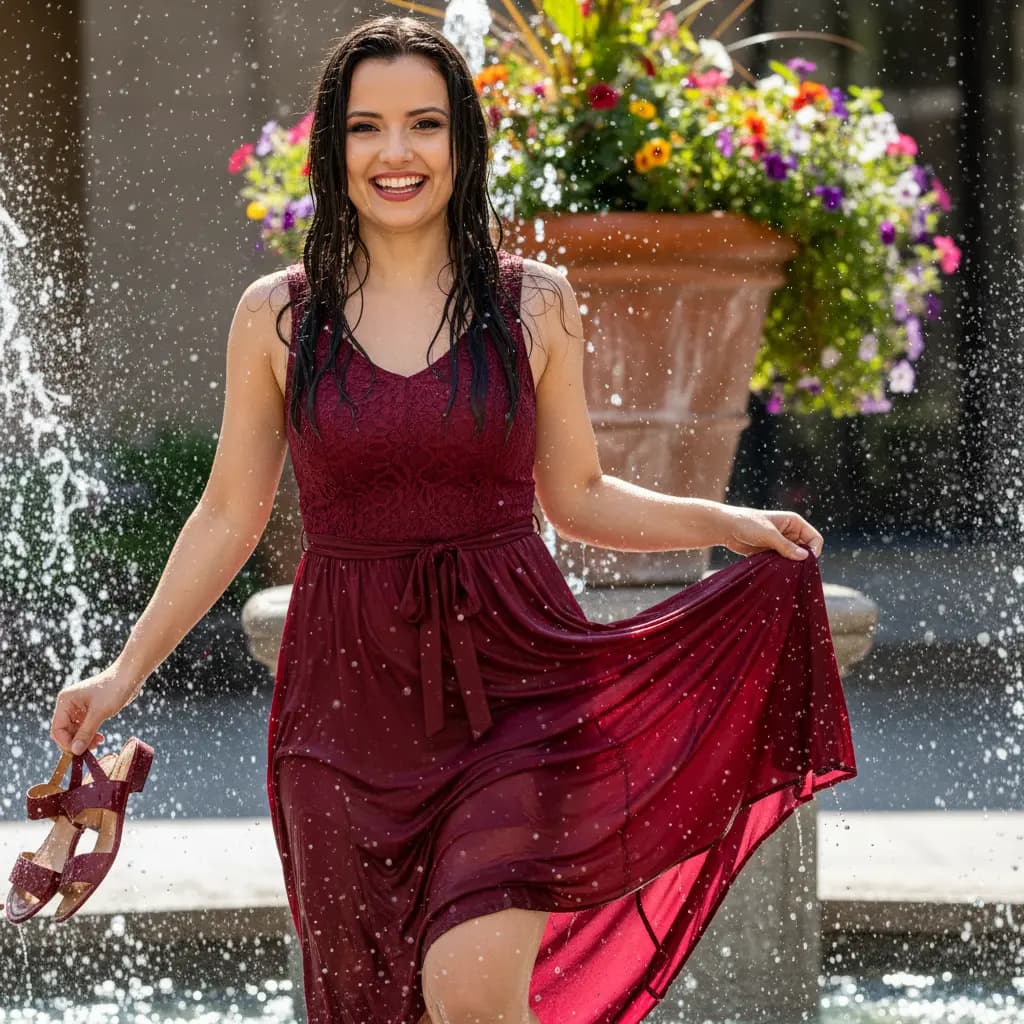
A young, cheerful woman is captured in a fun and spontaneous moment, playing in an outdoor water fountain. She is completely wet, her dark hair drenched and dripping, and she has a wide, infectious smile, looking at the camera. She is wearing a loose summer dress in a wine or burgundy shade, with lace or textured details on the bodice and a bow at the waist, which is wet and slightly transparent in some areas, creating a light-through effect. She is barefoot, holding her shoes, a similar color to the dress, in her left hand. The pose is dynamic, with her slightly lifting the skirt of her dress with her right hand, as if dancing or having fun in the water. The fountain's splashes are visible around her, with water droplets sparkling in the light. In the background, a large, rustic flowerpot adds a touch of color and nature. The lighting is natural and bright, possibly from a sunny day, which enhances the water's shimmer and the joy of the scene. Professional camera settings: Camera: Full-frame DSLR/Mirrorless with a high frame rate (FPS) to capture the movement of the water. Lens: 50mm f/1.4 or 85mm f/1.8 (for a full-body close-up that highlights the model and the environment). Aperture (f-stop): f/3.5 - f/5.6 (to ensure sharpness on the model and water splashes, while the background remains slightly blurred). ISO: 200 - 400 (to take advantage of daylight). Shutter speed: 1/1000s - 1/2000s (essential for freezing water droplets and movement). Lighting: Direct, abundant natural sunlight, ideally in the morning or late afternoon for a softer glow. The light should come from a direction that makes the water droplets sparkle. A silver reflector can be used discreetly to fill in shadows and highlight the face. Instructions for the "nano banana": Instruct the model to pose in a water fountain, completely wet, with wet hair and a wide, cheerful smile, looking at the camera. She should wear a wine-colored summer dress and be barefoot, holding her shoes in her hand. The pose should be dynamic, as if she were dancing, with her hand lifting the skirt of her dress. The splashes of water from the fountain should be visible around her. "Please use the female user's reference photo to apply all of her facial features, facial structure, eye color, skin tone, hair style, and color to the female figure in the image."