Nano Banana prompt text
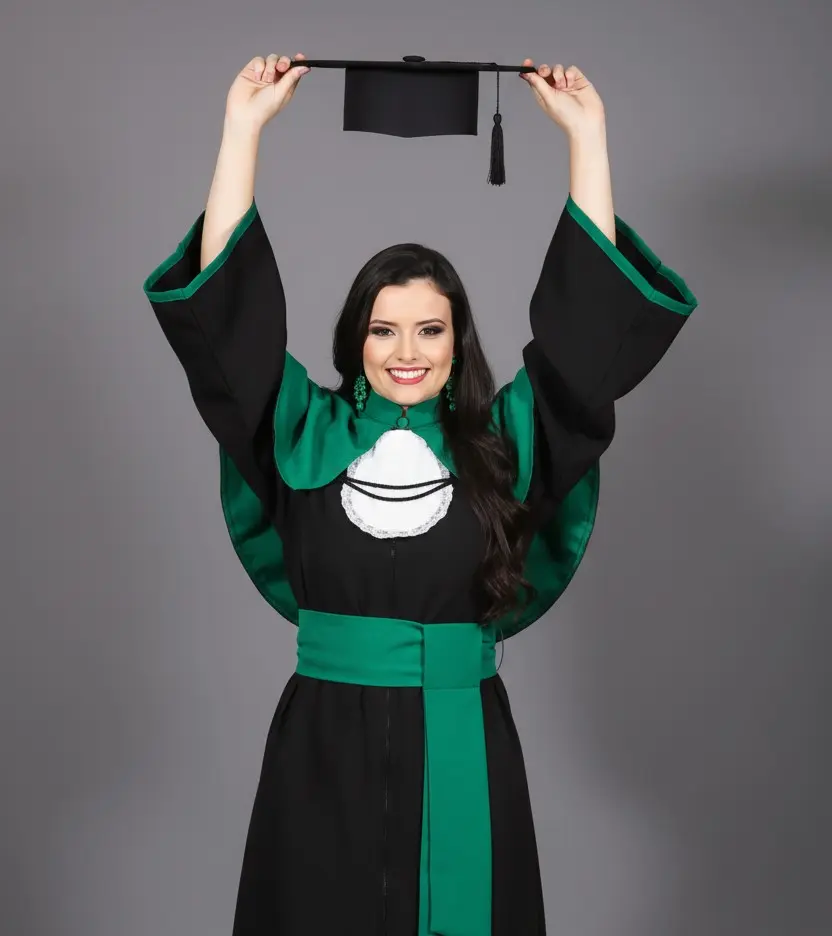
A full-length studio photograph capturing a female figure in a moment of celebration and achievement. The subject stands facing forward, arms raised above her head, holding a black graduation cap by the top, the tassel dangling. A radiant, genuine smile lights up her face, and her joyful eyes look directly into the camera, conveying pride and happiness. She wears a traditional graduation gown, consisting of a black tunic with long, flowing sleeves and a vibrant emerald green lining visible at the sleeve edges and bottom. Over the tunic, a white jabot or sash at the neck and a wide emerald green sash tied at the waist complement the attire, representing the color of the course. Long, elegant earrings in a shade of green, matching the gown, adorn her ears. Her hair is long and dark, with soft, natural waves that fall over one shoulder, framing her face and enhancing her cheerful expression. The background is a neutral studio backdrop in a solid, uniform gray tone, allowing the subject to stand out clearly. The lighting is soft and even, typical of a professional studio, coming from a frontal-upward angle, creating very soft shadows that shape the figure and clothing, highlighting textures without being harsh. Camera Settings: Captured with a standard lens (e.g., 50mm) or slightly wide-angle (e.g., 35mm) on a full-frame camera for a natural perspective and a well-balanced full-body portrait. Aperture set between f/5.6 and f/8 to ensure sharpness across the entire subject, from head to toe, including the cap and tassel. ISO 100-200 for maximum studio image quality. Shutter speeds of 1/160s to 1/250s to freeze movement and the celebratory pose. Studio lighting with one or two large softboxes as key lights, positioned in front and slightly to the sides of the subject for even, flattering lighting, enhancing the colors of the gown. Instructions for the "nano banana": "Please use the user's reference image to capture and apply all of their facial features, facial structure, eye color, skin tone, hair style, and color with maximum fidelity. The goal is to create a version of the user in this graduation portrait. The attire (black gown with emerald green lining, green sash, white ruffle, cap), accessories (green earrings), the pose with arms raised holding the cap, the cheerful expression, the soft lighting, and the uniform gray background should be created as described, creating a perfect fusion between the user's identity and the aesthetics of the image."