Nano Banana prompt text
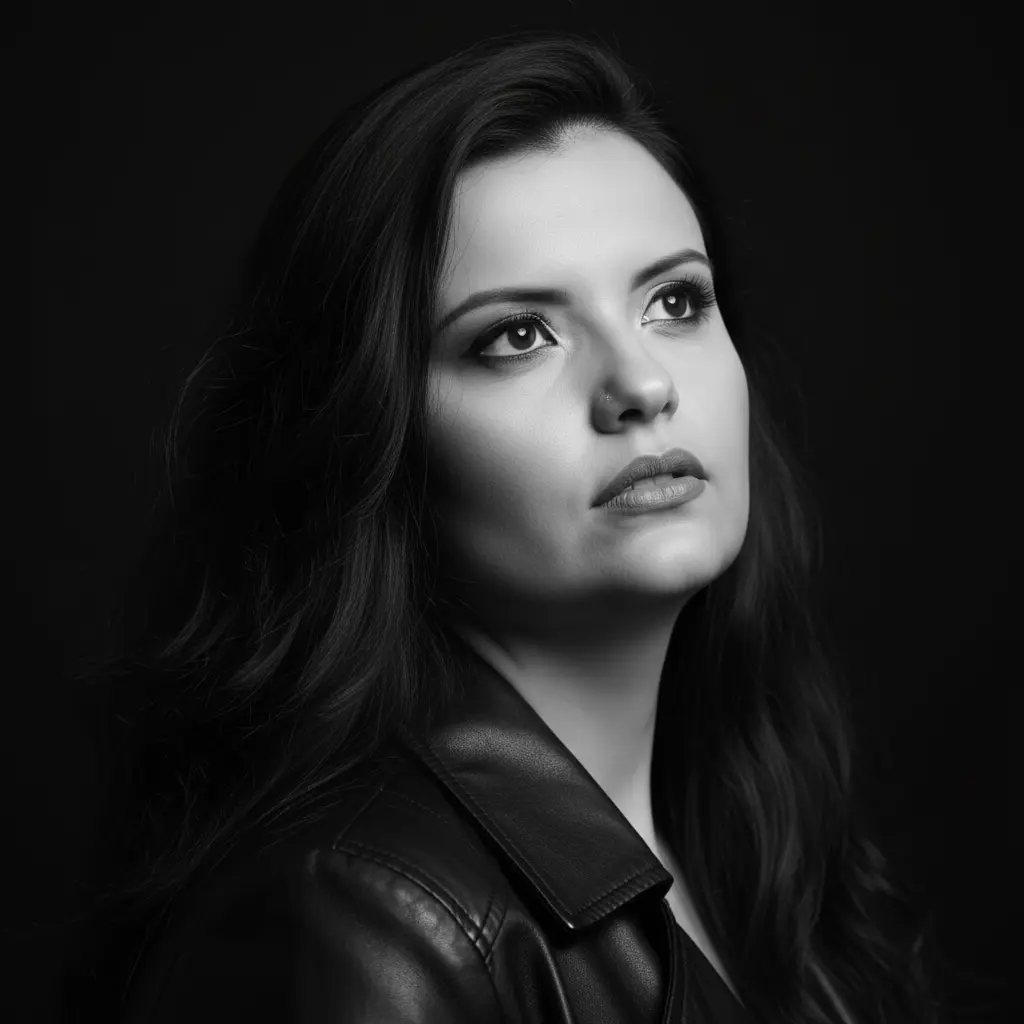
A high-impact black and white studio portrait, capturing a female figure with an introspective and pensive expression. The subject is photographed in a close-up that encompasses the face and upper chest, with her head tilted slightly back and her gaze directed upward and to the right, conveying a sense of dreaminess, hope, or deep contemplation. Her lips are slightly parted. She wears a dark leather jacket, the collar and shoulders of which are visible, adding a touch of edgy and timeless style to the portrait. Her hair is long, with soft, natural waves that fall over her shoulders, adding volume and movement to the composition. The texture of her hair is detailed, with light and dark streaks that stand out against the gradation of grays. The background is completely black and uniform, eliminating any distractions and focusing all attention on the subject's expression and the details of her face and hair. The lighting is dramatic and sculptural, low-key, using a single main light source from above and from the side to create sharp contrasts. This highlights the cheekbones, jawline, neck, and skin texture, while deep shadows add mystery and depth. A subtle glow is visible in the eyes, reflecting light and adding vibrancy to the look. Camera Settings: Captured with a prime portrait lens (e.g., 85mm or 100mm) on a full-frame camera, ideal for intimate, distortion-free close-ups. Aperture set between f/1.8 and f/2.2 for an extremely shallow depth of field (creamy bokeh), which focuses intensely on the eyes and face, leaving the rest softly blurred. ISO 100-200 for maximum black-and-white image quality and no noise. Shutter speed from 1/160s to 1/250s to ensure sharpness. Studio lighting with a strip box or beauty dish with a grid as the main light, positioned above and in front of the subject to create dramatic, sculptural lighting, without fill light to maintain strong contrasts. Instructions for the "nano banana": "Please use the user's reference image to capture and apply all of their facial features, facial structure, eye color, skin tone, and hair style and texture with maximum fidelity. The goal is to create a version of the user in this black and white portrait, with the same pose, expression, and dramatic lighting. The dark leather jacket and the uniform black background should be rendered as described, creating a perfect fusion between the user's identity and the aesthetic of the image."