Use code

for 30% off your first plan.

← Back to Nano Banana prompts

Nano Banana prompt

Luxury Style Photo Nano Banana Prompt

Published July 14, 2026 · ♥ 199

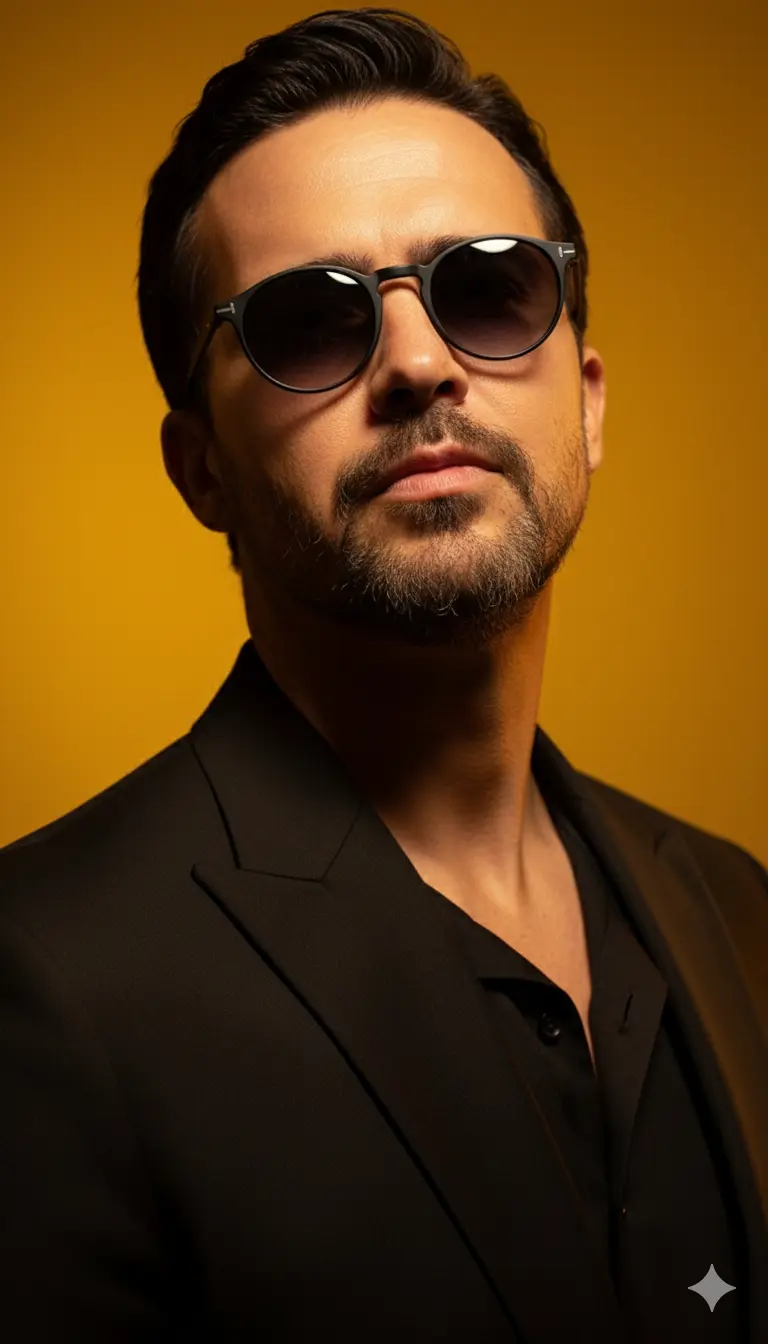
Luxury Style Photo Nano Banana prompt example

Nano Banana prompt text

Edit this image to show a men positioned in a close-up portrait shot, face tilted slightly upward at approximately 15-20 degrees with her chin gently lifted, creating a confident, aspirational angle. His head is centered in the frame with his gaze directed straight toward the camera from behind the sunglasses. He has short, raven-black hair, he's wearing nice vintage-inspiredround eye sunglasses with molten black-to-grey gradient lenses and matte black frames with delicate etched details, positioned perfectly on the bridge of his nose. His body is angled slightly (about 30 degrees) to create dimension, with shoulders relaxed and one shoulder subtly closer to the camera. he exudes magnetic confidence with a sultry pout. he's wearing a luxurious black blazer. The background is a rich, saturated golden-yellow that transitions to deeper amber tones at the edges. Dramatic directional lighting from above-left creates sculptural shadows along his neck and cheekbones, with warm backlighting creating a subtle halo effect. The composition is a Style/fashion portrait style with the face taking up roughly 60% of the frame. use the subject in the image provided just exactly as he is
CinematicFashionPhotographyModernRealisticElegantProduct / PosterPortraitMinimalist

Prompt workflow

How to use this Nano Banana prompt

Start with the full prompt so its subject, scene, and visual direction stay connected. Then adapt only the part that changes your result: the subject for a new concept, the scene for a different setting, or the style and composition for a new format.

Preserve the core brief

Keep the subject, visual style, and composition cues that make this prompt recognizable. Change one creative variable at a time when iterating.

Match the output to the channel

Choose the aspect ratio for the final placement, then add a clear crop, camera, or layout instruction instead of relying on a vague style word.

Use references for hard-to-name details

Upload references when a product shape, material, palette, or composition is easier to show than to describe in words.

Refine with a specific goal

Ask for a concrete change such as a different background, lighting direction, framing, or text treatment while naming the details that must remain.

Use this prompt with other image models

This remains a Nano Banana prompt first. Use these alternatives when the same brief needs a different kind of image control.

Similar Nano Banana Prompts

Explore related visual directions selected from shared tags and popular prompt ideas.

Nano Banana prompt FAQ

How should I adapt this prompt?

Keep the strongest subject, scene, and style instructions, then make one targeted change for the result you need. Clear changes are easier to evaluate than replacing the whole prompt at once.

When should I use a reference image?

Use a reference when you need to preserve a visual detail that text alone may not capture, such as a product silhouette, a material, a color palette, or a composition.

Which model should I choose?

Start with Nano Banana for fast iteration. Choose GPT Image 2 for text-heavy or precise edit requests, and Flux 2 Pro when detailed commercial art direction or multiple references matter most.