Use code

for 30% off your first plan.

← Back to Nano Banana prompts

Nano Banana prompt

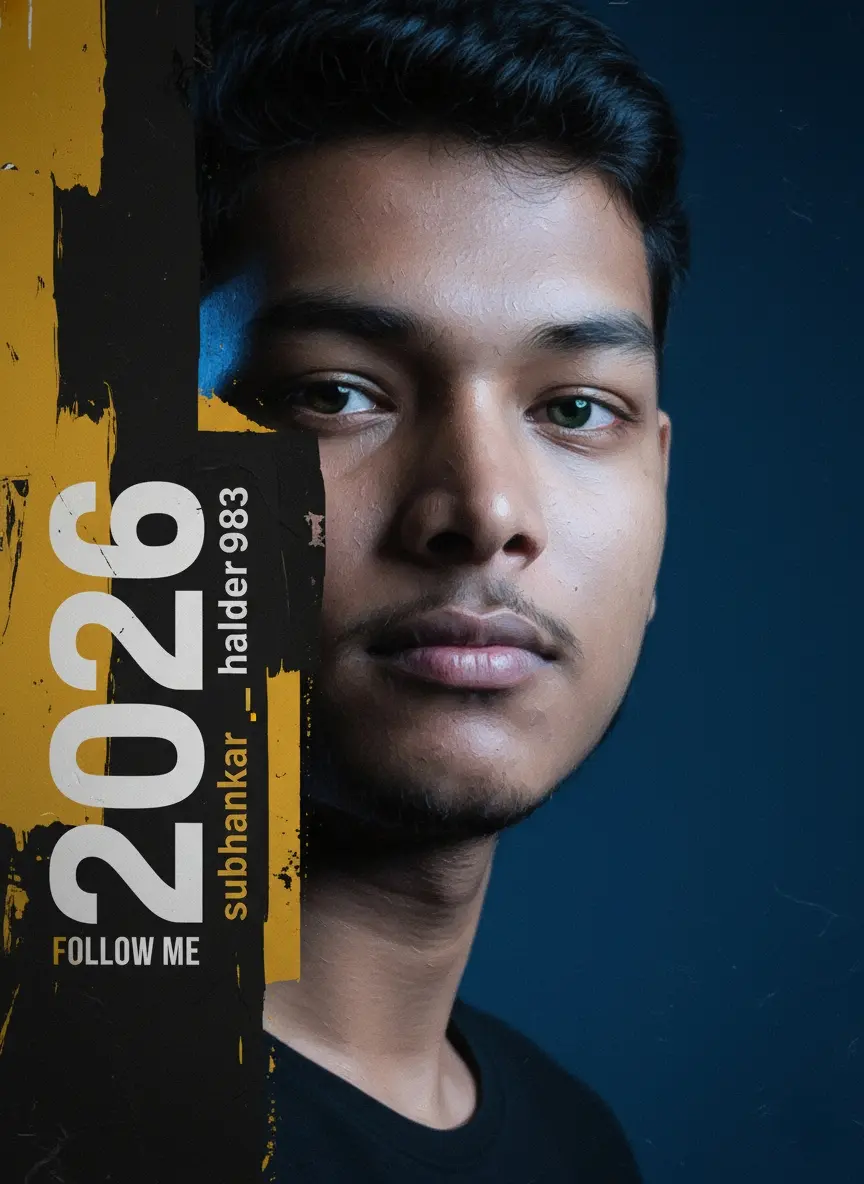
Face poster Nano Banana Prompt

Published July 14, 2026 · ♥ 44

Face poster Nano Banana prompt example

Nano Banana prompt text

Convert to this image into An editorial art‑poster of a my face in extreme close‑up, half‑frame composition; thick impasto oil‑paint texture with palette‑knife strokes forming realistic masculine features, teal‑green iris with sharp catchlight, lips and skin rendered in layered paint ridges; abstract paint blocks in matte black and deep yellow overlapping the left side like chipped panels, : subtle paper grain and micro‑cracks; typography integrated vertically on the left: large stacked numerals “2026 subhankar_halder983” in bold modern sans‑serif with alternating white and warm yellow accents, plus a small subtitle line reading “FOLLOW ME” near the bottom; clean poster edges, deep vignette and soft studio background blur for focus;3/1 : lighting: soft museum key light from upper left with gentle speculars on paint peaks, HDR exposure, high local contrast without clipping, smooth highlight roll‑off; optical language: 85 mm portrait look, f/2.8, ISO 100, 1/160s, shallow depth isolating the eye; output intent: ultra‑sharp, high‑frequency paint detail, print. Right writing now
CinematicFashionPhotographyModernRealisticWatercolorSketch / Line ArtSci-FiPortraitDark / MoodyConcept artOil Painting3D Render

Prompt workflow

How to use this Nano Banana prompt

Start with the full prompt so its subject, scene, and visual direction stay connected. Then adapt only the part that changes your result: the subject for a new concept, the scene for a different setting, or the style and composition for a new format.

Preserve the core brief

Keep the subject, visual style, and composition cues that make this prompt recognizable. Change one creative variable at a time when iterating.

Match the output to the channel

Choose the aspect ratio for the final placement, then add a clear crop, camera, or layout instruction instead of relying on a vague style word.

Use references for hard-to-name details

Upload references when a product shape, material, palette, or composition is easier to show than to describe in words.

Refine with a specific goal

Ask for a concrete change such as a different background, lighting direction, framing, or text treatment while naming the details that must remain.

Use this prompt with other image models

This remains a Nano Banana prompt first. Use these alternatives when the same brief needs a different kind of image control.

Similar Nano Banana Prompts

Explore related visual directions selected from shared tags and popular prompt ideas.

Nano Banana prompt FAQ

How should I adapt this prompt?

Keep the strongest subject, scene, and style instructions, then make one targeted change for the result you need. Clear changes are easier to evaluate than replacing the whole prompt at once.

When should I use a reference image?

Use a reference when you need to preserve a visual detail that text alone may not capture, such as a product silhouette, a material, a color palette, or a composition.

Which model should I choose?

Start with Nano Banana for fast iteration. Choose GPT Image 2 for text-heavy or precise edit requests, and Flux 2 Pro when detailed commercial art direction or multiple references matter most.