Nano Banana prompt text
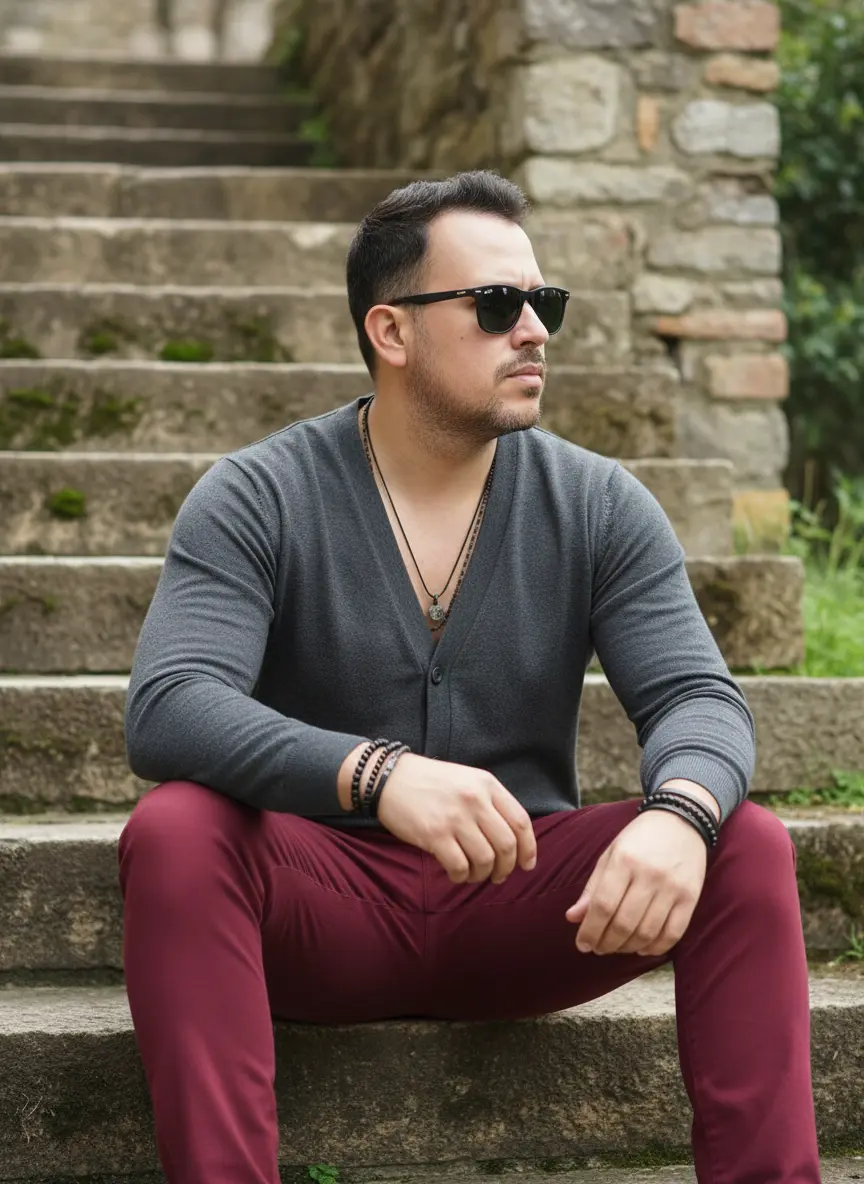
An outdoor lifestyle photograph featuring a male figure seated on a rustic stone staircase, exuding a laid-back, urban vibe. The subject is positioned at the bottom of the staircase, facing right and looking out of the frame, with a serious, thoughtful expression behind sunglasses. His legs are bent, with his arms resting on his thighs, conveying a relaxed yet attentive attitude. He wears a light, dark gray cardigan or sweater with a V-neck and buttons, over a no-show or collarless T-shirt. Skinny or slim-fit pants in a striking shade of wine or burgundy create an elegant contrast to the gray top. Various accessories, such as discreet necklaces and multiple leather bracelets and beads on the wrists, add a touch of personal style. Dark, square sunglasses cover his eyes, intensifying the aura of mystery. The background consists of an old stone wall or staircase, with rustic blocks and subtle green moss in some crevices, creating a natural, aged texture. On the right, a touch of green vegetation complements the ambiance. The lighting is natural and diffuse, typical of a clear day outdoors, creating soft shadows and a natural glow on skin and fabrics. Camera Settings: Captured with a standard lens (e.g., 50mm or 35mm) on a full-frame camera for a natural perspective and a well-balanced full-body portrait. Aperture set between f/2.8 and f/4.0 to create a soft background blur (bokeh) that isolates the subject while maintaining sharpness on the face and clothing. ISO 100-200 for maximum image quality in natural light. Shutter speed of 1/250s to 1/500s to ensure sharpness and freeze any subtle movement. White balance should be set to "Daylight" for accurate, natural colors. Instructions for the "nano banana": "Please use the user's reference image to capture and apply all of their facial features, facial structure, and hair color with maximum fidelity. The goal is to create a version of the user in this scenario. The pose (sitting on the stairs, sideways gaze), clothing (gray cardigan, burgundy pants, accessories, sunglasses), natural lighting, and the stone staircase background should be generated as described, creating a seamless fusion between the user's identity and the aesthetics of the image. Do not describe or generate specific details about the subject's hair or beard; focus only on the other visual characteristics described and those in the reference image, applying them to the user's facial features."