Nano Banana prompt text
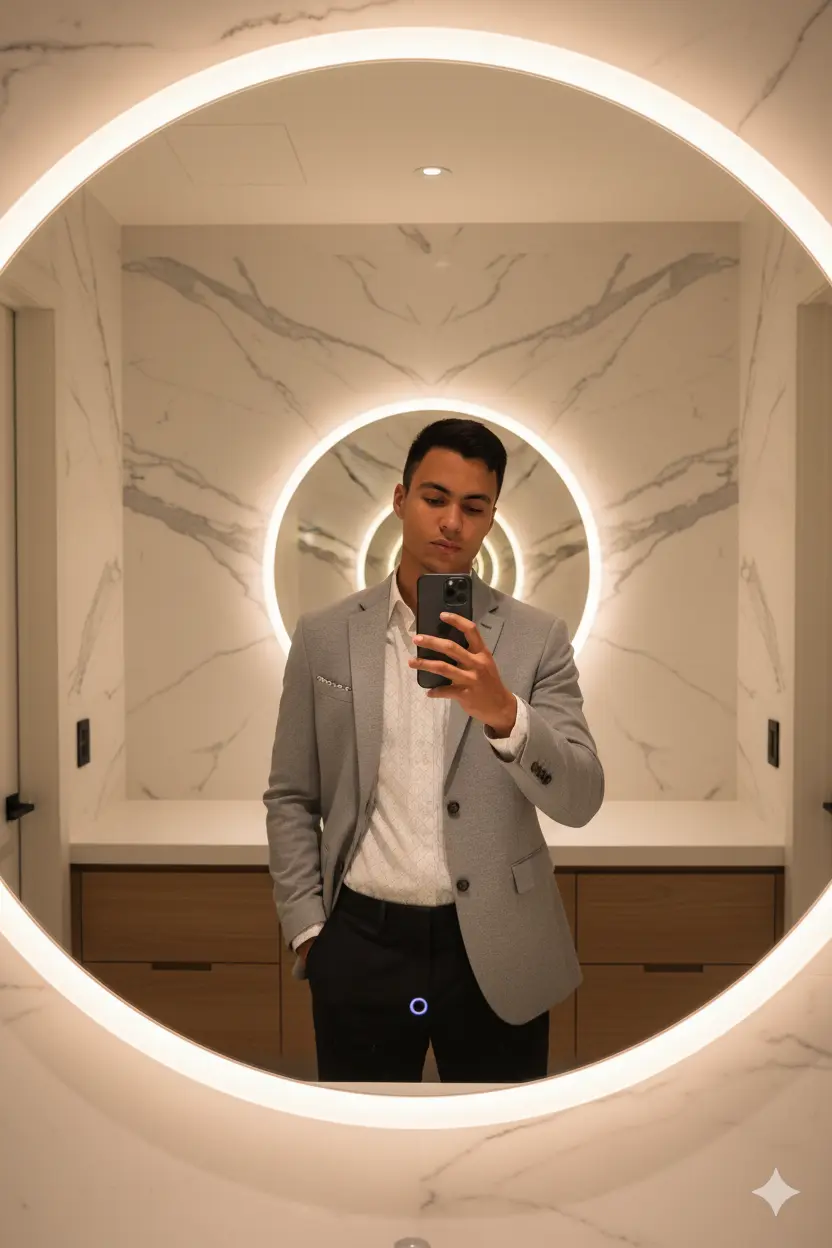
🎭 Conceito Um retrato editorial masculino capturado como selfie em espelho, ambientado em um banheiro moderno e elegante. O modelo — com blazer cinza claro de mangas dobradas, camisa branca com padrão discreto e calça escura — segura um iPhone 17 Pro Max com a mão direita, enquanto a mão esquerda repousa no bolso. A cabeça está levemente inclinada, com o olhar voltado para o espelho. O cenário inclui um espelho circular com luz LED ao redor, parede de mármore com veios visíveis e um móvel de madeira com gavetas. A iluminação é suave e quente, criando uma atmosfera sofisticada e minimalista. 🎥 Especificações Técnicas Câmera: simulação de selfie com iPhone 17 Pro Max Lente simulada: 85mm equivalente Abertura: f/2.5 ISO: 100 Velocidade do obturador: 1/100s Formato: RAW White Balance: nublado — reforça tons quentes e suaves Enquadramento: vertical (formato 4:5), plano médio com foco no reflexo Ângulo da câmera: frontal, capturado pelo espelho — reforça simetria e estilo pessoal Resolução: Ultra-realista 8K — textura da pele, tecido e materiais do ambiente capturados com fidelidade Iluminação: luz quente e difusa com leve refração — cria sombras suaves e brilho natural 🧍♂️ Pose Principal: “Selfie em Silêncio” Postura: o modelo está em pé diante do espelho, com a mão direita segurando o celular e a esquerda no bolso Expressão: neutra e confiante, com leve inclinação da cabeça — transmite estilo e introspecção Destaques: reflexo preciso no espelho, luz LED circular, contraste entre o mármore e o look elegante 👕 Detalhes do Look Blazer: cinza claro com mangas dobradas — visual moderno e sofisticado Camisa: branca com padrão discreto — toque clássico e refinado Calça: escura, corte slim — reforça a silhueta Acessórios: nenhum visível além do iPhone 17 Pro Max — foco na composição e no estilo Cabelo: natural, bem penteado Barba: aparada — reforça o visual maduro e elegante 🛁 Detalhes do Ambiente Espelho: circular com iluminação LED embutida — elemento central e moderno Parede: mármore com veios visíveis — textura sofisticada e atemporal Móvel: madeira clara com gavetas — reforça o estilo minimalista Iluminação: quente e difusa — cria atmosfera acolhedora e editorial Estilo: minimalista, limpo e profissional — ideal para retratos de estilo pessoal