Nano Banana prompt text
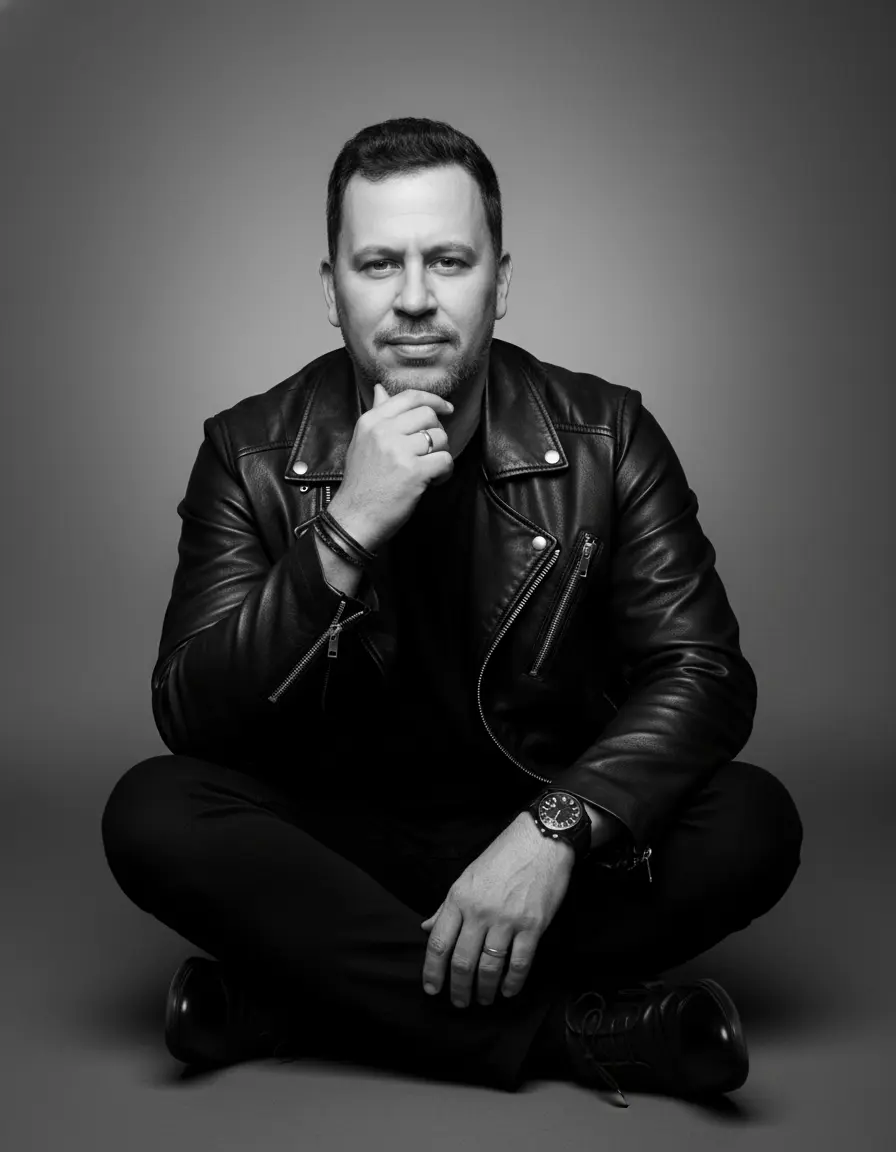
A black and white, full-length studio portrait capturing a male figure with a casual yet charismatic pose. The subject sits cross-legged on the floor, leaning slightly forward and looking directly at the camera, conveying a relaxed yet confident expression with a slight smile. One hand is raised, fingers gently touching his chin, while the other rests on his knee. He wears a modern, monochromatic ensemble: a black leather jacket with zippers, worn over a black crewneck T-shirt. Black pants and sleek black dress shoes complete the look. Accessories such as a dark wristwatch, a ring, and thin bracelets add a touch of personal style. His hair is dark, with a wavy texture and a casually groomed style. A short, well-groomed beard frames his face. The background is a solid-color studio backdrop in a uniform, medium gray tone, creating a soft, professional contrast. The lighting is soft and directional, typical of a studio, coming from a frontal-upward angle, which sculpts the facial features and highlights the texture of the leather jacket, creating delicate shadows. Camera Settings: Captured with a prime portrait lens (e.g., 85mm or 50mm) on a full-frame camera for a flattering perspective and natural proportions. Aperture set between f/4.0 and f/5.6 to ensure sharpness across the entire subject, from the face to the shoes, with a depth of field that separates it from the background. ISO 100-200 for maximum black-and-white image quality, without grain. Shutter speed from 1/160s to 1/250s. Studio lighting with a large octabox or softbox as the main light to create soft light and a reflector to fill in shadows. Instructions for the "nano banana": "Please use the user's reference image to capture and apply all of their facial features, facial structure, hair and beard style, eye color, and skin tone with maximum fidelity. The goal is to create a version of the user in this studio portrait. The clothing (leather jacket, black t-shirt, black pants, shoes), accessories (watch, ring, bracelets), the cross-legged sitting pose, the confident expression, the soft black and white lighting, and the gray background should be created as described, creating a perfect fusion between the user's identity and the aesthetics of the image."