Nano Banana prompt text
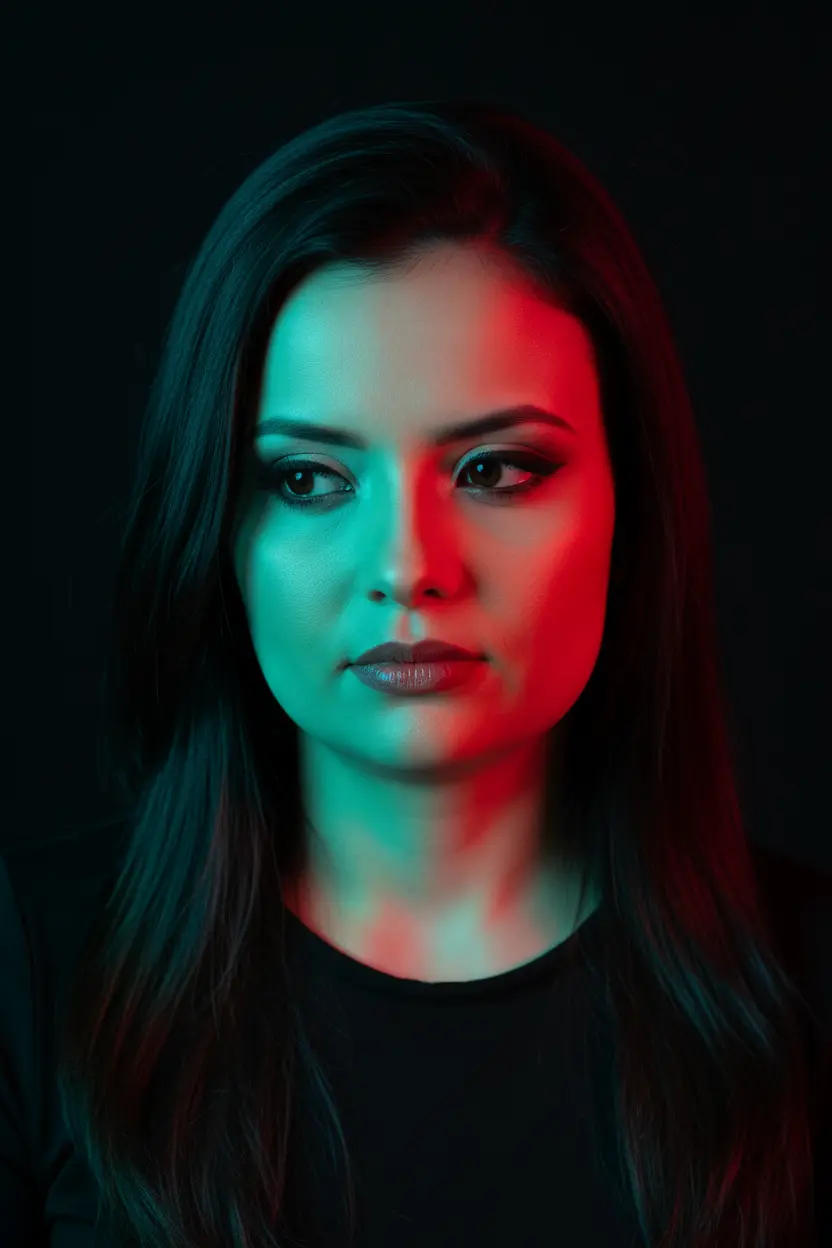
A creative, high-contrast studio portrait capturing a female figure in an intimate close-up with a mysterious and introspective atmosphere. The subject is posed with her head tilted slightly downward, her gaze directed toward the ground, just outside the frame, conveying a sense of deep contemplation. The most striking feature of the image is the dramatic lighting with dual-colored gels. One side of the face and body is bathed in vibrant cyan or teal light, while the opposite side is illuminated by contrasting red or magenta light. This creates a sharp color division in the center of the figure, sculpting the facial features with colorful highlights and deep shadows. She wears a simple black top with a low neckline, which allows the colored light to play across the skin of her décolleté and shoulders. Her makeup is defined, with eyeliner accentuating her eyes and lips with a subtle, light-catching gloss. The hair is long, straight, and dark, falling softly over the shoulders and framing the face, the strands capturing the reflections of the colored lights. The background is completely black and uniform, ensuring that all the focus remains on the subject and the vibrant play of light. Camera Settings: Captured with a prime portrait lens (e.g., 85mm or 100mm) on a full-frame camera for a sharp, distortion-free close-up. Aperture set between f/2.8 and f/4.0 to keep the face in sharp focus with a shallow depth of field. ISO 100-200 for maximum image quality, free of noise. Shutter speed from 1/160s to 1/250s. Lighting is key: two studio light sources (strobes or continuous lights) with colored gels (cyan and red) positioned on opposite sides of the subject to create a split-light effect, without using fill light to maximize contrast. Instructions for the "nano banana": "Please use the user's reference image to capture and apply all of their facial features, facial structure, eye color, skin tone, and hair style, color, and texture with maximum fidelity. The goal is to create a version of the user in this artistic portrait. The pose (head tilted down), the dramatic dual-gel lighting (cyan and red), the black top, and the dark background should be created as described, creating a seamless fusion between the user's identity and the modern, colorful aesthetic of the image."