Nano Banana prompt text
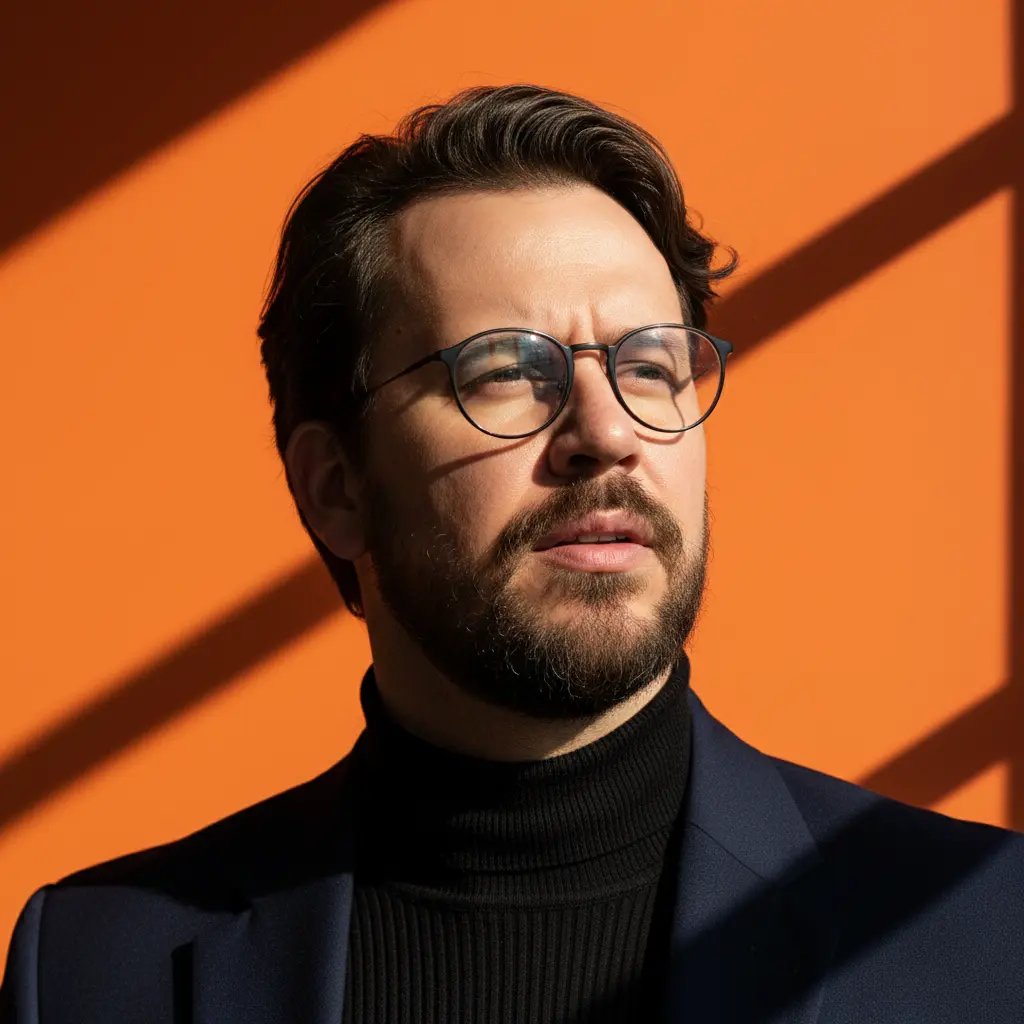
A close-up portrait photograph with a high-fashion aesthetic and dramatic lighting. It captures a male figure with a contemplative and sophisticated expression. The subject is positioned slightly to the side, with his head raised and his gaze directed upward and out of the frame, as if observing something with interest or admiration. His lips are slightly parted. He wears a ribbed black turtleneck under a dark blazer or coat (black or navy blue). He wears prescription glasses with thin, dark, round frames, which add an intellectual touch to the look. His hair is dark brown, medium length, with a wavy texture and casually tousled style, with some strands falling over his forehead. A full, but well-trimmed beard and a mustache define his face. The background is a smooth, vibrant surface in a deep orange. Strong, geometric shadows (sharp diagonal lines) are cast across the background and over part of the subject's face and shoulder, creating dramatic contrast and an artistic composition. The lighting is direct, strong sunlight, coming from a side angle and possibly filtered through a structure (such as a window or blind) to create sharp shadows. This intense light highlights the texture of the skin (with visible pores), hair, and beard, and creates reflections on the glasses. The skin has a tan tone. Camera Settings: Captured with a prime portrait lens (e.g., 85mm f/1.4 or 100mm f/2.0) on a full-frame camera for a sharp close-up with elegant compression. Aperture set between f/2.8 and f/4.0 to keep the face in sharp focus and create soft separation from the background. ISO 100 for bright sunlight. Fast shutter speed (e.g., 1/500s to 1/1000s). Natural lighting, using direct sunlight and intentionally created geometric shadows. Instructions for the "nano banana": "Please use the user's reference image to capture and apply all of their facial features, facial structure, hair and beard style, eye color, and skin tone with maximum fidelity. The goal is to create a version of the user in this high-fashion portrait. The clothing (black turtleneck, dark blazer, round glasses), the contemplative expression, the direct sunlight with geometric shadows, and the vibrant orange background should be generated as described, creating a perfect fusion between the user's identity and the aesthetics of the image."